Lensa: Boosting Activationby 11%
Client
Prisma Labs
Role
Product Designer
Date
2023
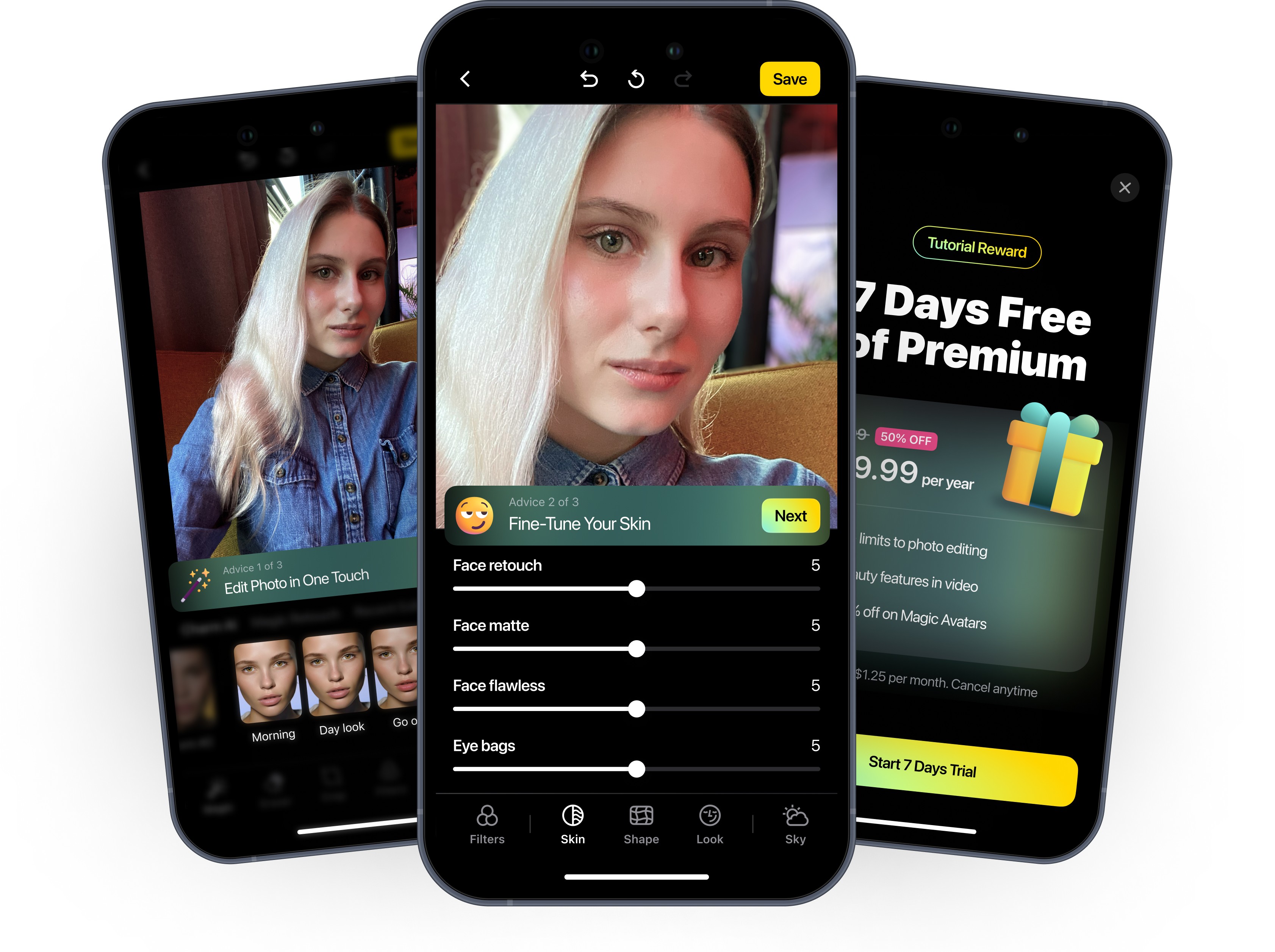
Lensa is a mobile app developed by Prisma Labs, specializing in AI-powered photo and video editing. It became widely popular for its AI-generated avatars, allowing users to transform their selfies into stylized digital artwork.
Key Features of Lensa:
• Magic Avatars
• AI Retouching
• Photo & Video Editing
It has subscription-based model, where free users have a limit on saved edits.

Context
The app was facing a tough period—metrics were stagnating, and user activation in the editor was struggling.
Subscription growth was slowing, making it even more critical to improve onboarding and increase engagement with core editing features.
Data showed that users who engaged with both avatars and photo editing had a longer lifetime value (LTV) in the app, making it crucial to encourage exploration beyond avatars.
My Role
• Led the UX strategy for onboarding improvements, focusing on increasing user activation.
• Designed a structured tutorial concept with step-by-step guidance.
• Conducted competitor reviews to identify effective user education techniques.
• Initiated a Critical App Review, mapping all user flows to uncover friction points.
• Collaborated with cross-functional teams (PMs, engineers, researches, data scientists) to integrate insights and ensure seamless implementation.
Team
• 2 Product Designers
• CP of Growth
• Product Manager
• Data Scientist
• iOS Engineer
• Android Engineer
• QA
Business Problem
The conversion rate for Save Photo was low, meaning users weren’t fully engaging with the product.
We needed a way to increase activation and guide users toward saving edited photos — one of the key indicators of future subscription intent.
Subscription growth was slowing, making it even more critical to improve onboarding and increase engagement with core editing features.
Lensa needed to convert hesitant free users into engaged subscribers.
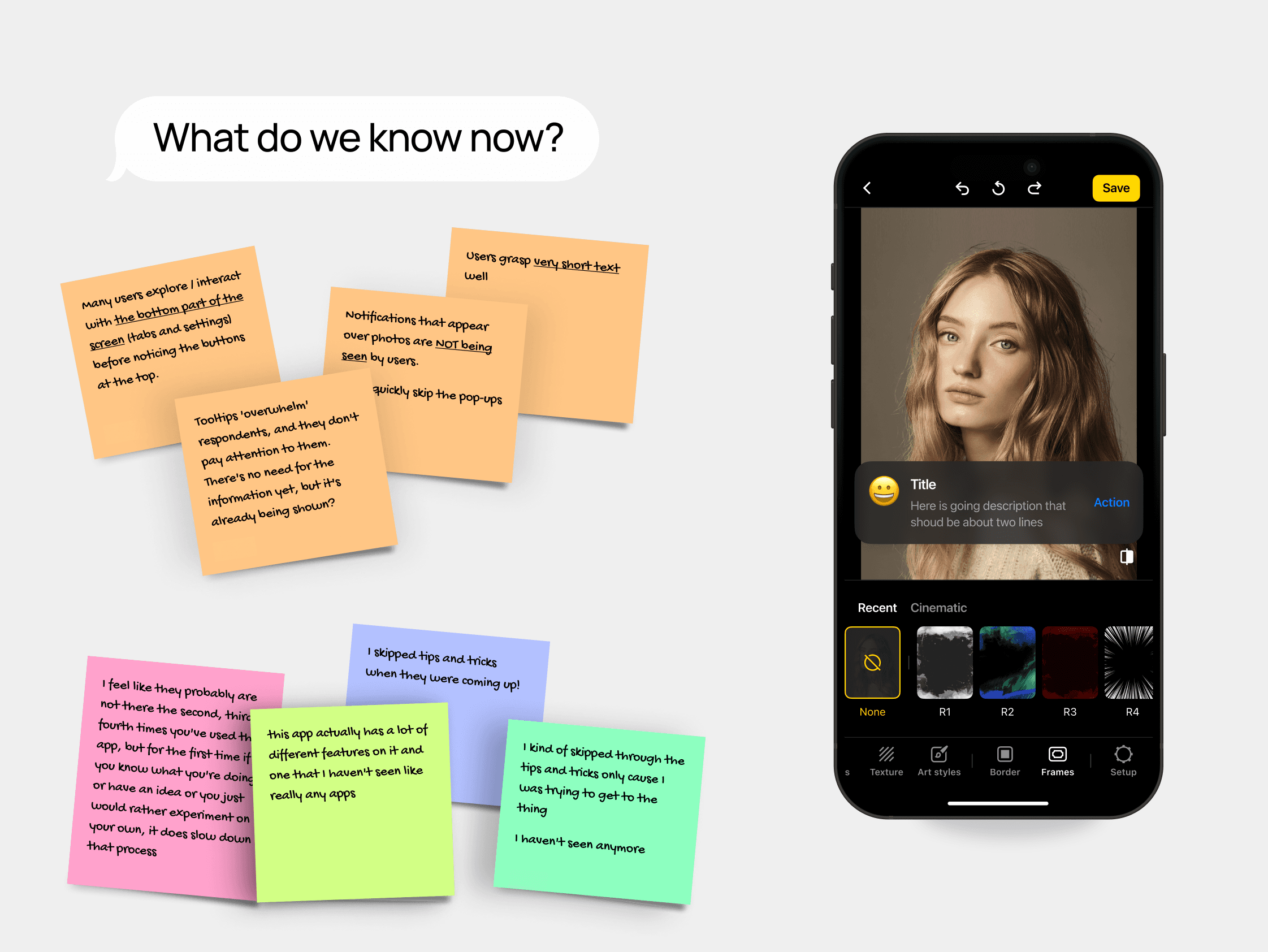
Analytics showed that:
• Many users didn’t explore the editor’s best features.
• The conversion rate for saving edited photos was low.
• Previous onboarding attempts failed because pop-ups were ignored or skipped.
Challenge
How to guide users effectively without slowing them down?
Hypothesis
If we implement a guided, step-by-step experience, we can speed up activation and increase the save rate.
Process
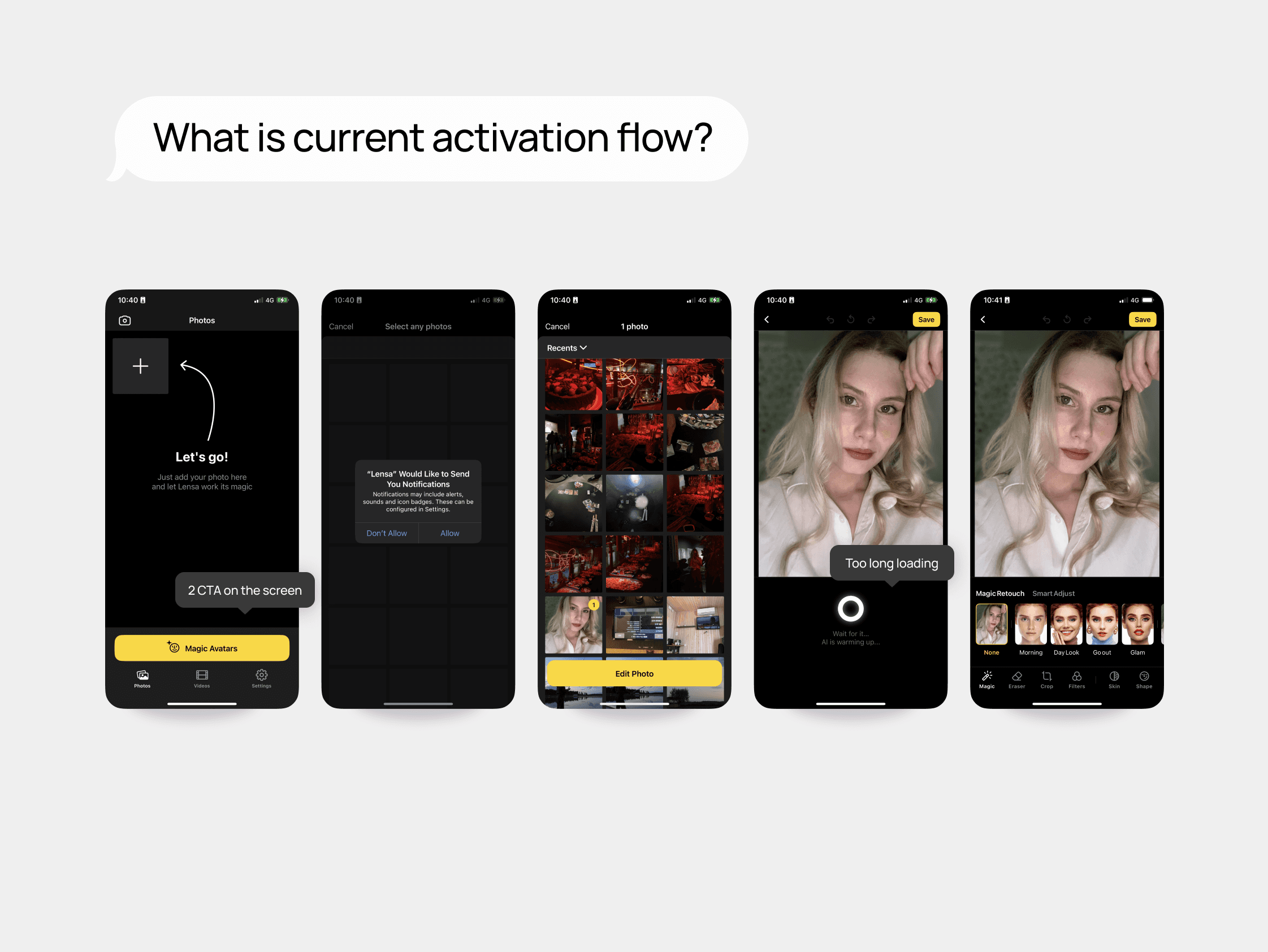
1. Work on task 'Tutorial'
When I started, some onboarding ideas had already been considered but were put on hold. With new feature usage data, we saw an opportunity to reintroduce the tutorial with a structured, goal-driven approach.
But because of 'hard time' this tutorial task was put on hold too, but in a month I revive it.
If I mentioned it was a 'hard time', but instead of rush I pushed to do mapping of the all app to defined the main problem in CJ that we already have.
3. Concept of new onboarding process
The next step was to start polishing the experience step by step. But to start it I've combined all ideas that fly around into 3 large concept, one of them had the tutorial.
Design
As I mentioned before, I started from collecting data:
• Checked the approaches that our competitors use.
• Getting data from Research team.
• Getting data from analytics, I need to know the features that have hight 'activation' rate that other.
Key directions I proposed:
• Step-by-step guidance → Walk users through essential tools in a non-intrusive way.
• Progress tracking → A checklist that encourages users to complete key actions.
• User insights & behavioral triggers → Show contextual hints based on real user needs.
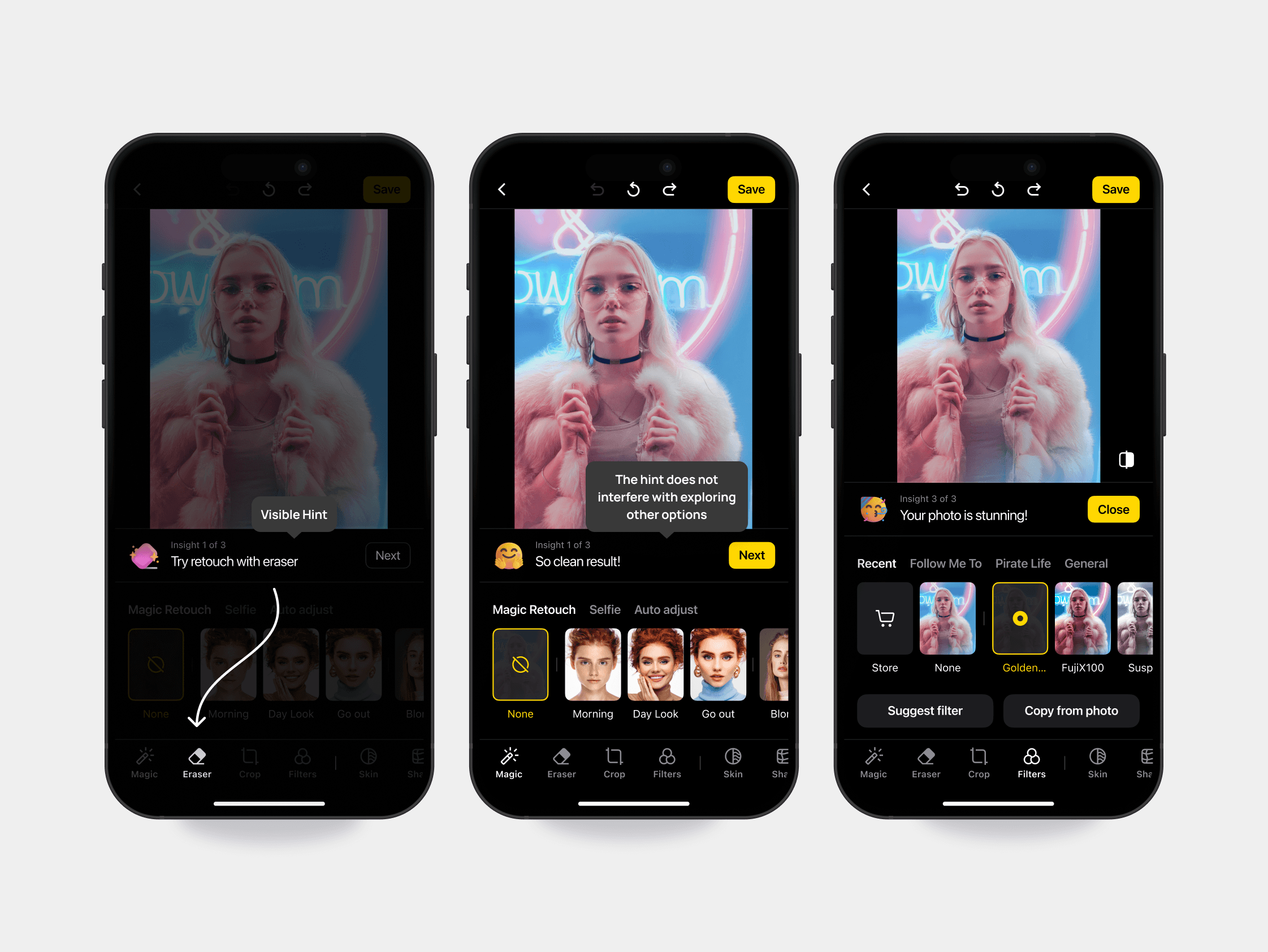
After discussion with the Product Manager, Data Scientists, and Research Team, we chose the step-by-step guided tutorial as the best approach.
I visualise 2 ideas for hallway testing:
• a tour with small, bright hints, similar to what all competitors do, and
• a tour integrated into the editor, where it is directly responsible for the result.
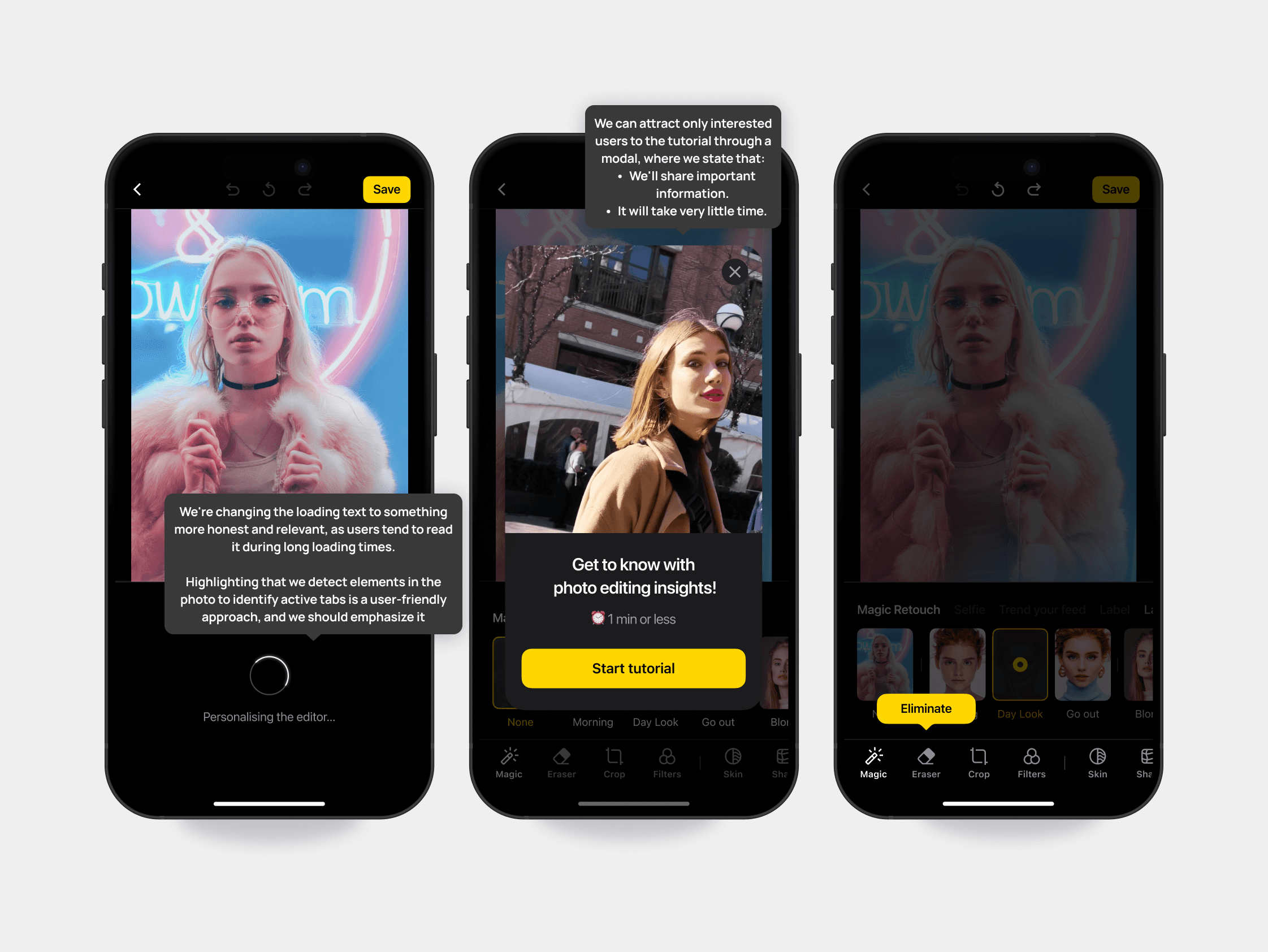
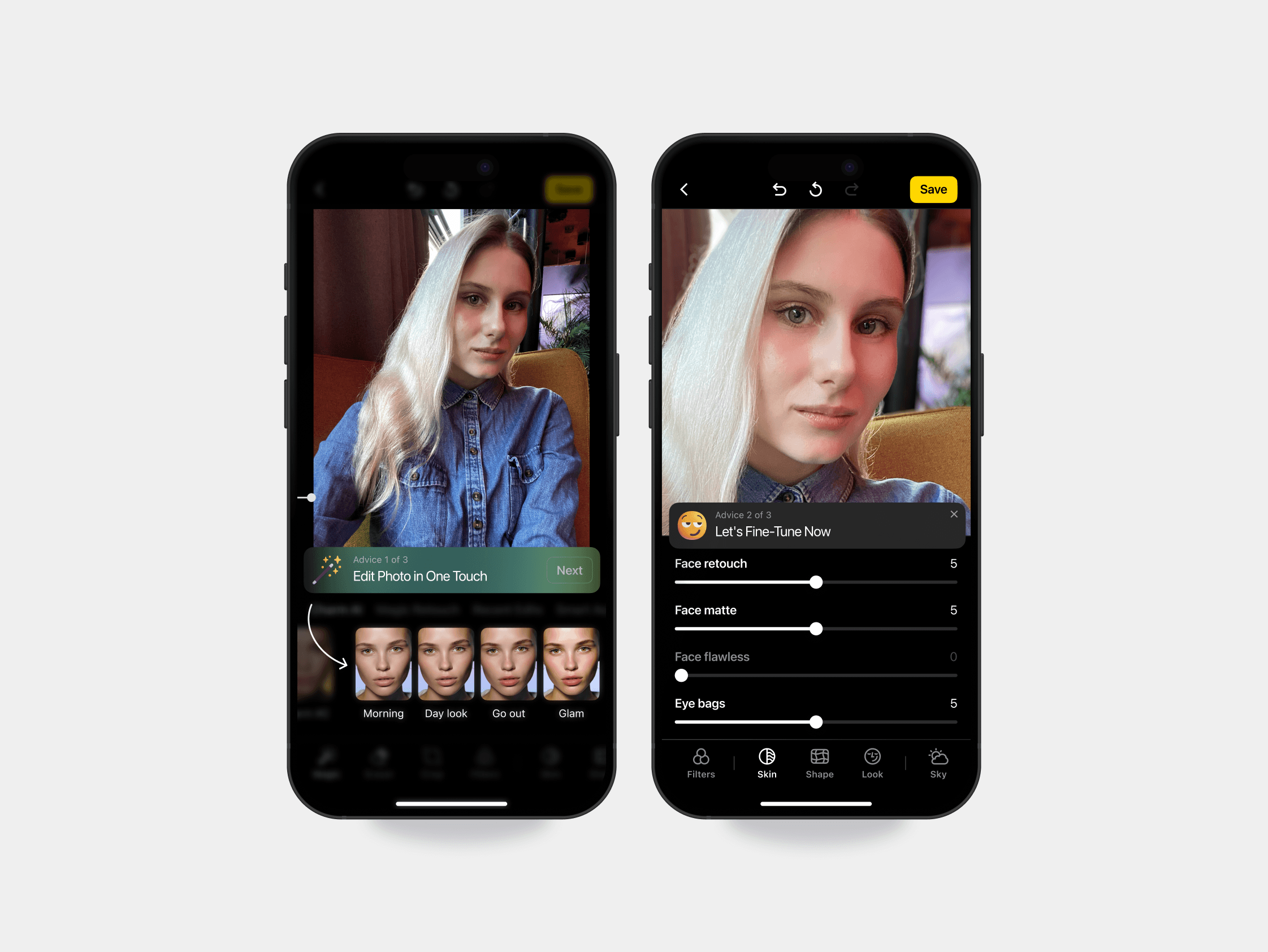
Hallway testing shows the success of 'Integrated Tour'.
Later as part of an initiative to drive growth, I collaborated with Senior Product Designer Andrey Baykov to conduct a Critical App Review.
We mapped out every user flow in Figma, breaking down:
Key user jobs & pain points.
Opportunities to improve feature discoverability.
Ways to reinforce long-term engagement & habit formation.
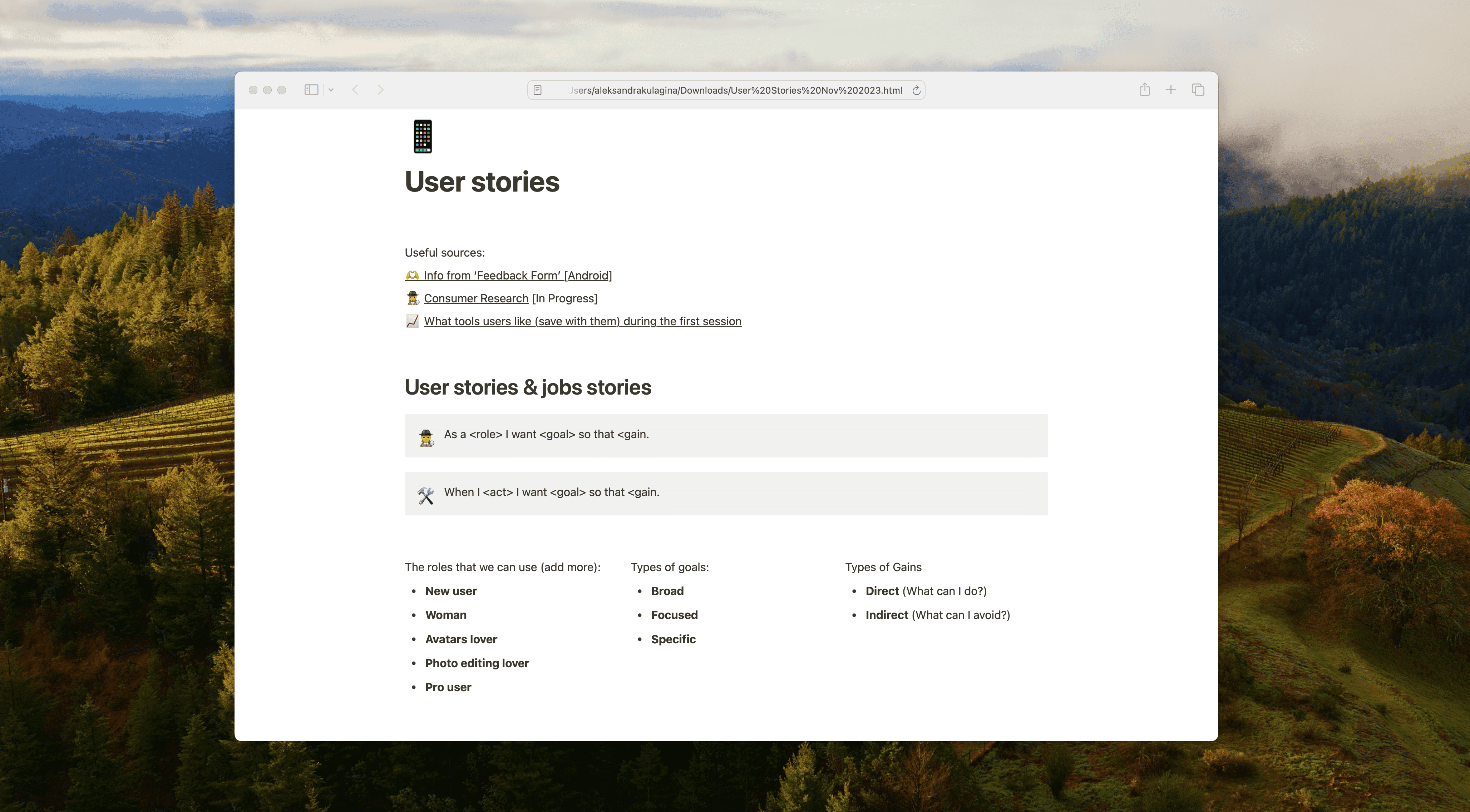
As a result the library of ideas in Notion was created.
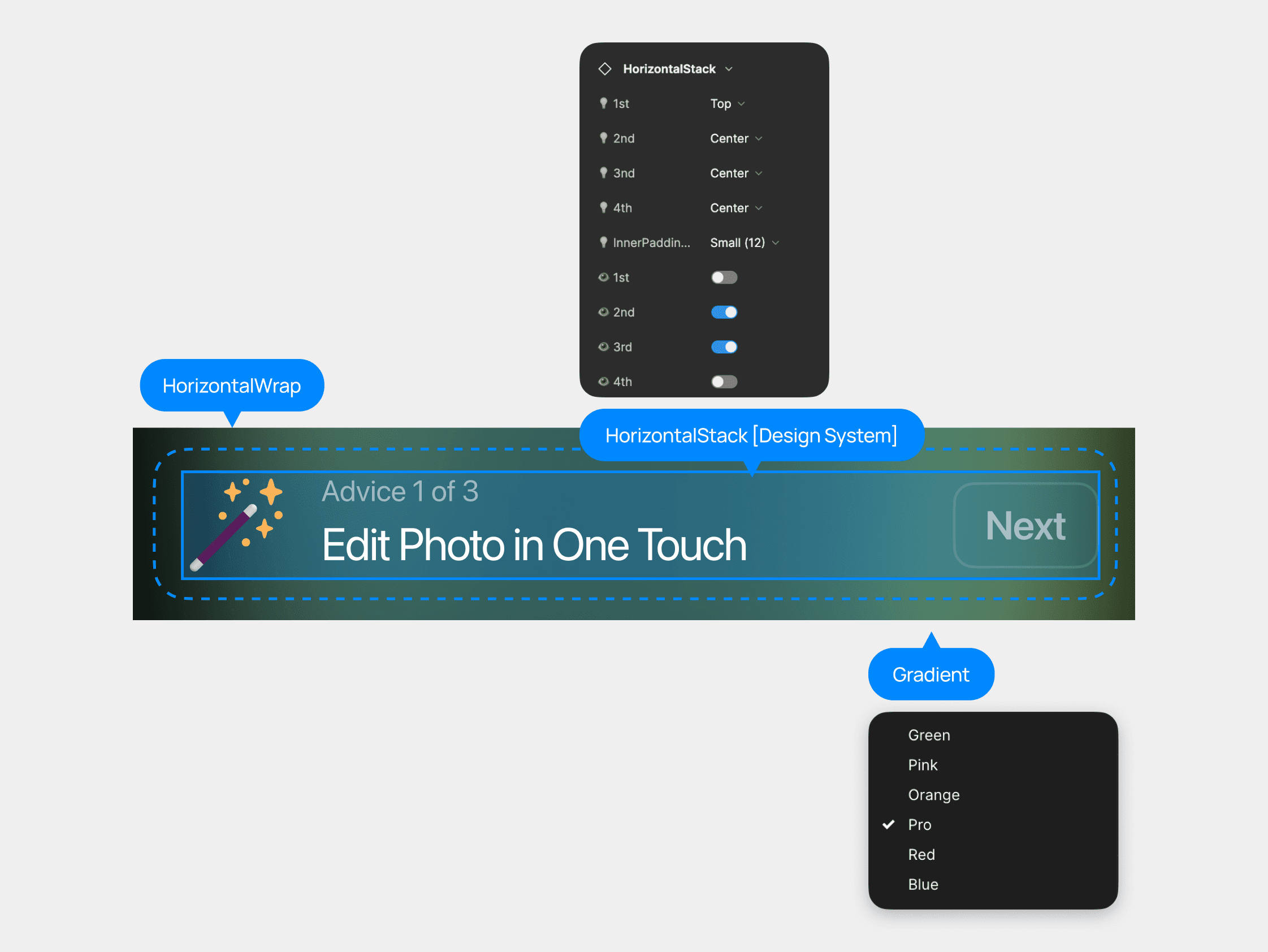
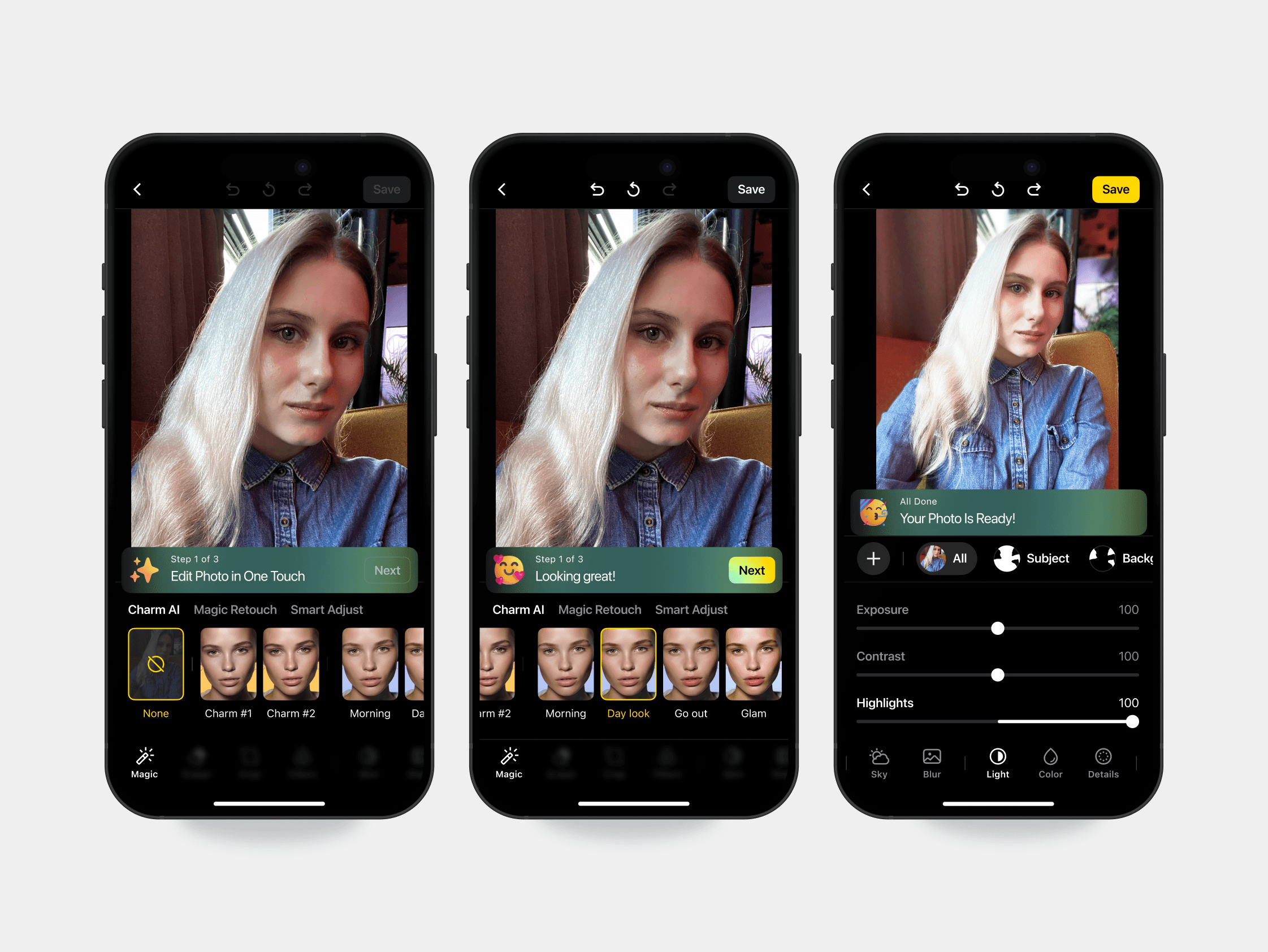
So when it was a time to create the activation flow concept kit was a time to shine for 'Integrated tutorial'.
Results
Save Rate Increased by +11.2% (from 41.6% → 46.4%). Improving the onboarding process increased subscriptions. It also made the first-time user experience better.
Save Rate with No-Tour
41.6%
Save Rate withMagic -> Skin -> Filters
44.3%
Save Rate with Magic -> Skin -> Adjust
46.3%
Reflection
This project was a perfect example of how UX can directly impact business goals.
By making onboarding more intuitive, we turned passive users into engaged ones — ultimately driving higher activation and subscription rates.
I learned:
• The Critical App Review helped align onboarding with broader growth goals.
• How to make impact decision in 'hard time'.